
Inventory & Parts
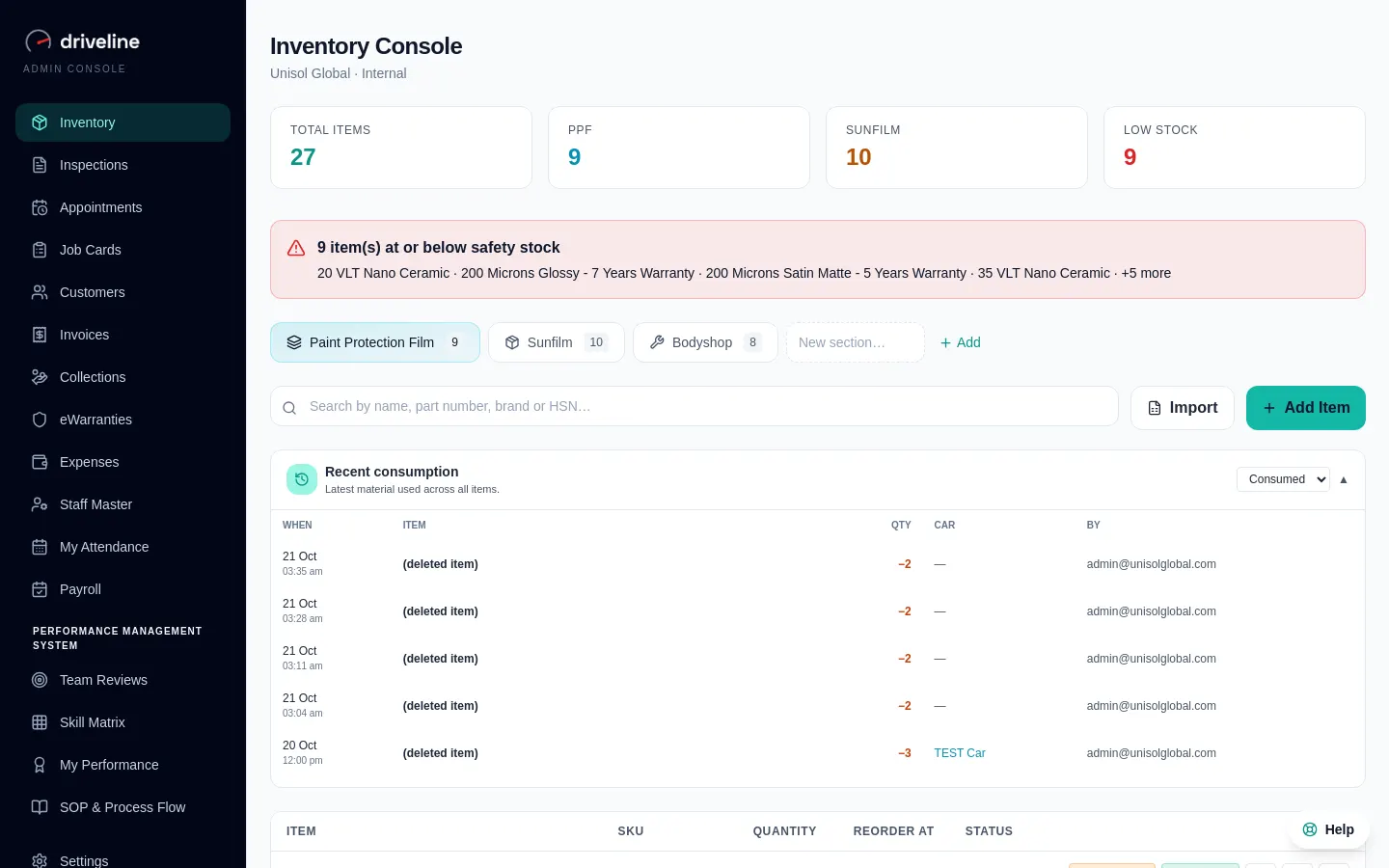
A shelf count you can believe.
One stock list for parts you use in the bay and parts you sell over the counter, kept true by every job and every bill.
01
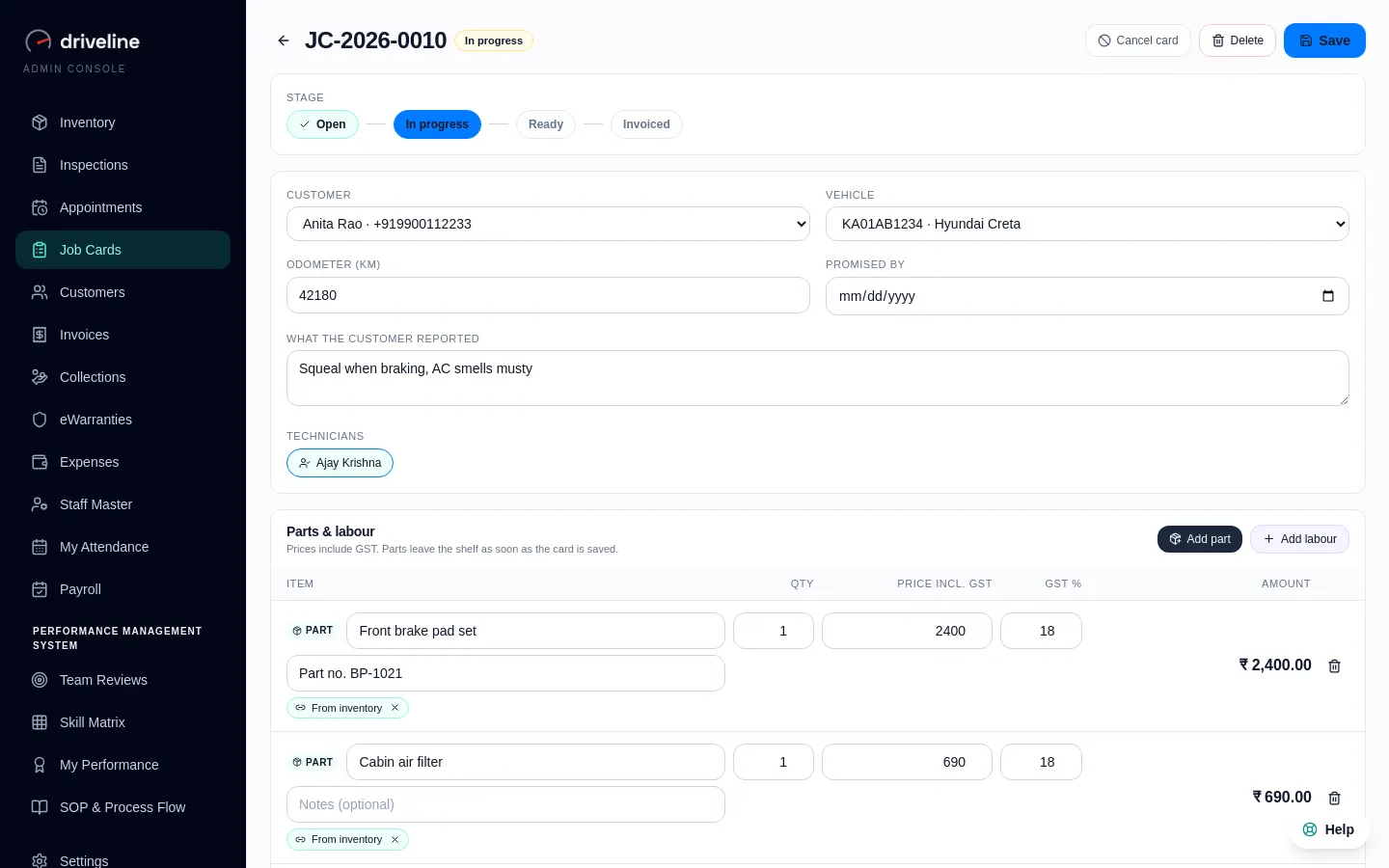
Stock moves with the work
Parts leave the shelf when they go on a job card, with low-stock alerts before it runs empty.
02
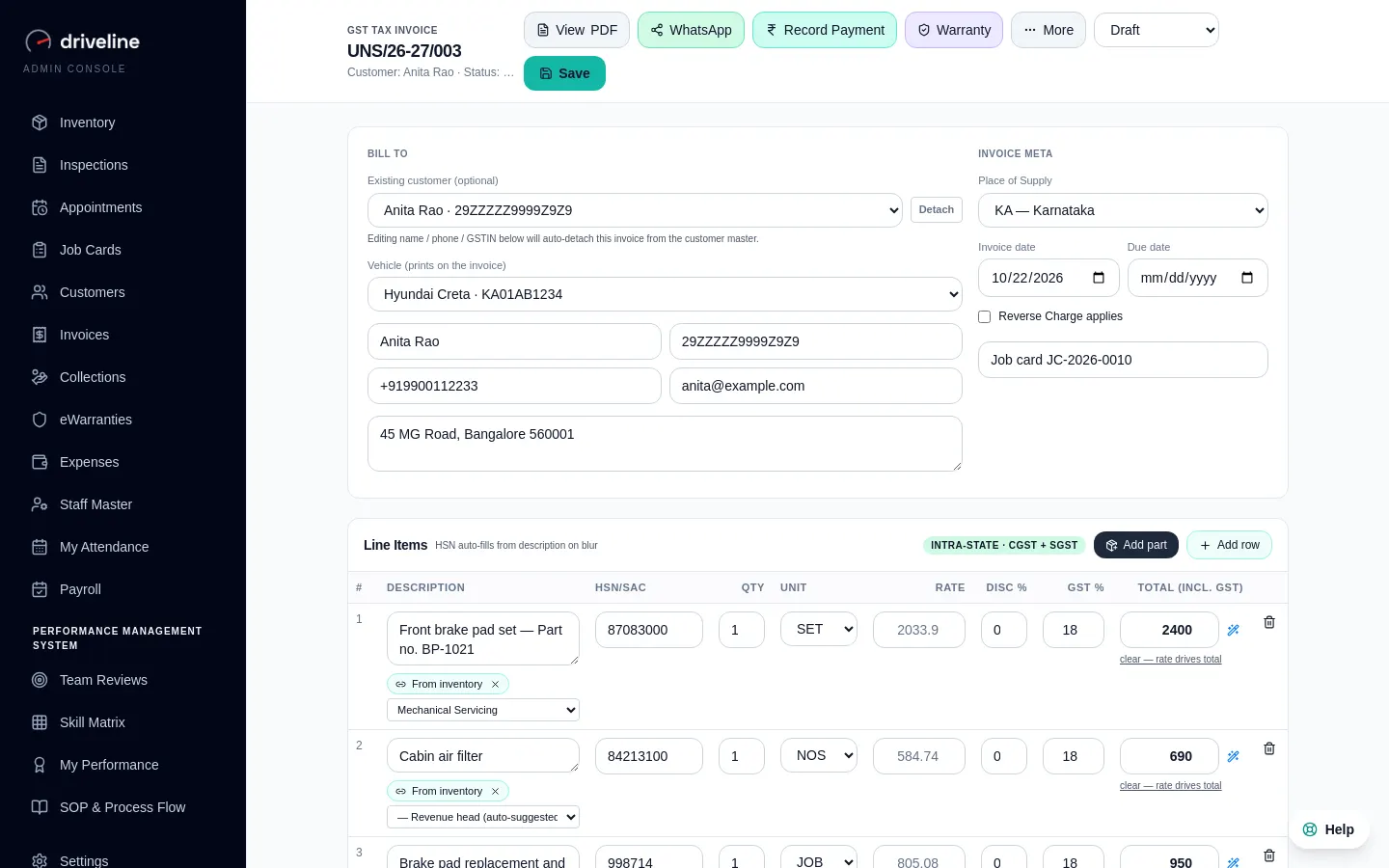
Counter sale in seconds
Search a part, add it to the GST invoice, and stock updates itself.
03
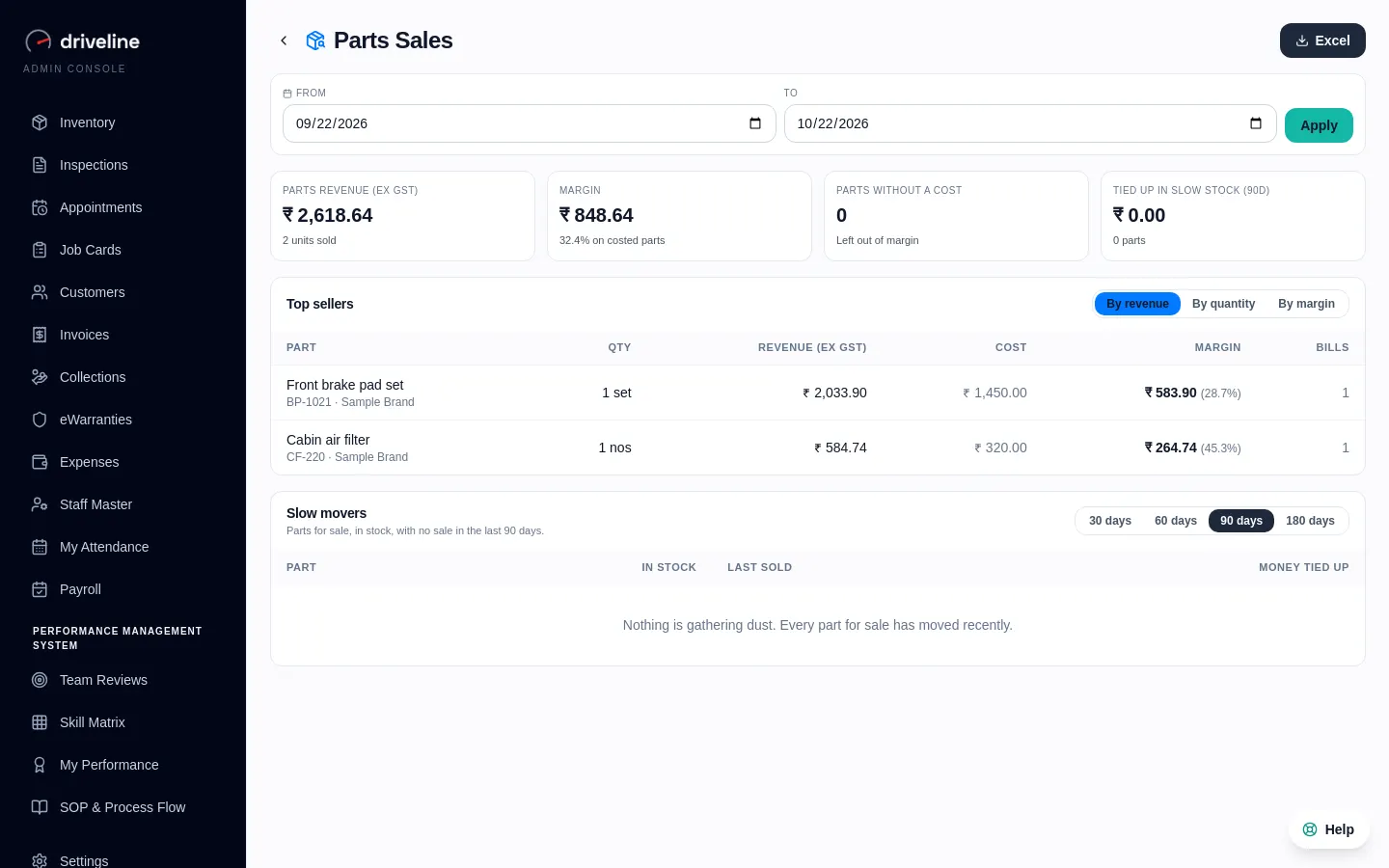
Parts Sales report
Top sellers, margin per part, and the money tied up in slow stock.
How it works
4 steps, no training course.
- 1
Import your parts from a sheet
- 2
Pick parts on job cards and invoices
- 3
Stock updates itself and alerts you
- 4
Check margins in the Parts Sales report
Questions
Inventory & Parts: your questions.
Also in Driveline
See Inventory & Parts on your own workshop.
Thirty minutes, on a call, with your kind of workshop in mind.